ToonMe App: Turn Your Photos Into AI Cartoon Art

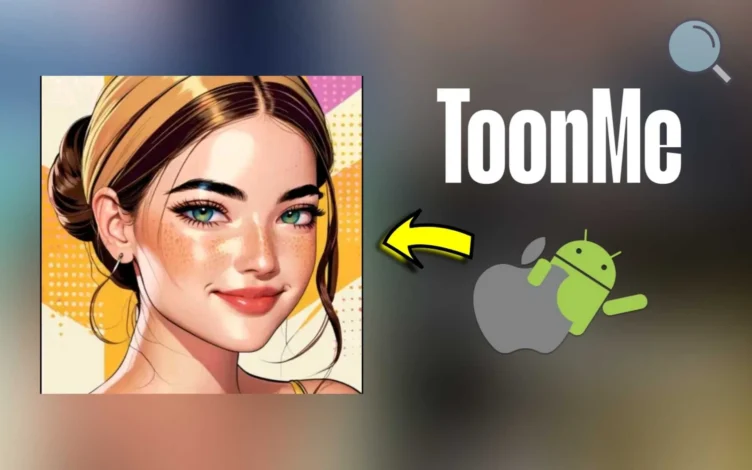
In a world full of creative photo-editing apps, ToonMe stands out as one of the most popular and distinctive options available today. The app allows Android and iPhone users to turn their selfies into eye-catching cartoon portraits with polished, professional-looking results.
What Is ToonMe?
ToonMe is a photo-editing app powered by artificial intelligence that transforms portraits into cartoon artwork and illustrated styles. Its simple interface and high-quality output have made it a favorite among users who enjoy creative design tools.
Key Features of ToonMe
- Turn Photos Into Cartoons: Convert regular photos into stylized cartoon portraits using multiple artistic effects.
- Multiple Filters and Styles: Choose from classic cartoon looks, 3D animation effects, sketch-inspired designs, and more.
- Easy to Use: A clean, beginner-friendly interface makes editing quick and simple.
- Full Photo Editing Tools: Beyond cartoon effects, users can edit backgrounds and add enhancements.
- Regular Updates: New styles and filters are added frequently to keep the experience fresh.
- Strong Attention to Detail: AI processing helps preserve facial details, colors, and natural proportions.

How Does ToonMe Work?
- Download and Install: Get the app for free from Google Play or the App Store.
- Select a Photo: Choose an image from your gallery or take a new picture with your camera.
- Pick a Style: Browse available templates and filters, then choose your favorite.
- Customize the Result: Adjust colors, backgrounds, and extra effects to fine-tune the image.
- Save or Share: Export the finished image or post it directly to social platforms.
More Benefits
- Free to use with optional paid upgrades for premium tools.
- No experience required, making it accessible to casual users.
- Privacy-focused tools, with user data protection highlighted by the developer.
ToonMe Cons
While ToonMe offers plenty of useful features, it also has a few limitations users should know before downloading.
1. In-App Purchases
- The app is free, but many advanced filters and premium tools require a subscription.
- Ads can be noticeable in the free version, which may interrupt the experience.
2. Heavy Internet Dependence
- Online access is often needed for image processing and effect rendering.
3. Results Can Vary
- Output quality depends on the original image. Low-resolution or poorly lit photos may produce weaker results.
4. Limited Free Customization
- Free users get fewer editing controls and style options.
5. Large Exported Files
- Some processed images may take up extra storage space.
6. Struggles With Some Photos
- Group shots or images with busy backgrounds may not be handled as well as simple portraits.
7. Privacy Concerns
- Images may be uploaded to remote servers for processing, which could concern privacy-focused users.
8. Better on Newer Devices
- Performance may slow down on older phones or lower-end hardware.

How to Download ToonMe on Android and iPhone
If you’d like to install ToonMe on Android or iPhone, follow the steps below.
For Android Devices
- Open Google Play: Launch the Google Play Store on your phone.
- Search for the App: Type ToonMe in the search bar.
- Select the Official Version: Look for ToonMe – Cartoon Photo Editor by Linerock Investments LTD.
- Install: Tap Install and wait for the download to finish.
- Open the App: Tap Open once installation is complete.
Direct Android Download Link:
For iPhone Devices
- Open the App Store: Launch the App Store on your iPhone.
- Search for ToonMe: Enter ToonMe in the search field.
- Choose the Official App: Select ToonMe – Cartoon Yourself by Linerock Investments LTD.
- Download: Tap Get and confirm with Face ID, Touch ID, or password if needed.
- Open the App: Tap Open after installation finishes.
Direct iPhone Download Link:
[Download ToonMe from App Store]
User Ratings
ToonMe has received strong ratings across app stores, with users praising its unique effects, simple workflow, and frequent updates that help it stay competitive.
Final Thoughts on ToonMe for Android and iPhone
If you’re looking for a fun and easy way to turn your photos into custom cartoon artwork, ToonMe is a solid option worth trying. With modern AI tools and a simple interface, it delivers creative results in just a few taps.
Disclaimer: We can not guarantee that the information on this page is 100% correct.